Learning Hub / Tutorials / Voxtelesys / SIP Credentials in the Voxtelesys PortalFAQs

Tutorials: SIP Credentials in the Voxtelesys Portal

Learn how to create and manage SIP credentials within the Voxtelesys Portal using updated security measures. This guide walks you through generating new SIP credentials.

Required Access: Voxtelesys Portal


Last Updated: 11/10/2026
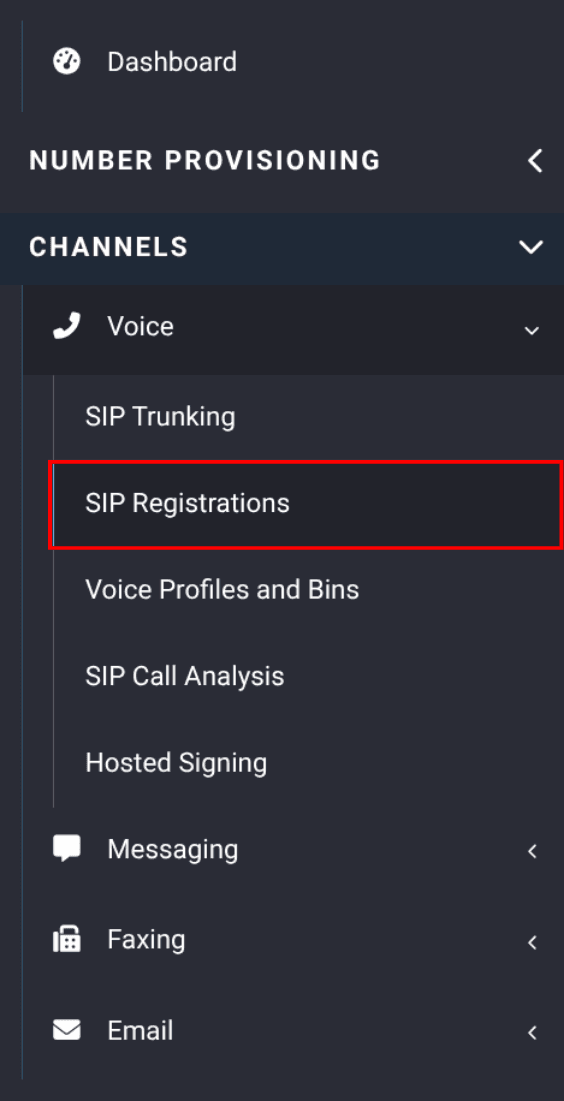
sip registration navigation in the portal


Navigate to the Voxtelesys Portal

Select "Channels", open the "Voice" dropdown and click on "SIP Registrations".
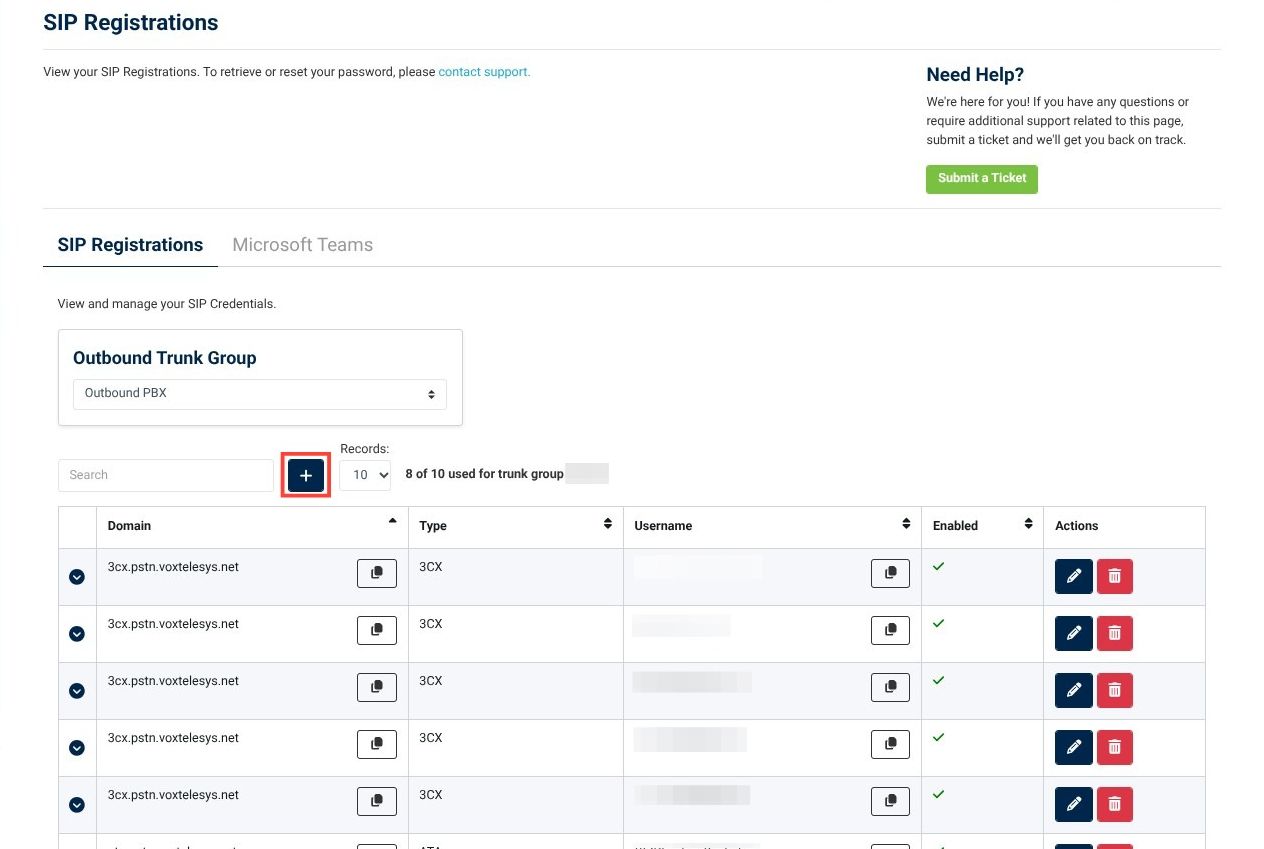
sip registration page in portal


Click the "+" button to create new SIP Registration credentials
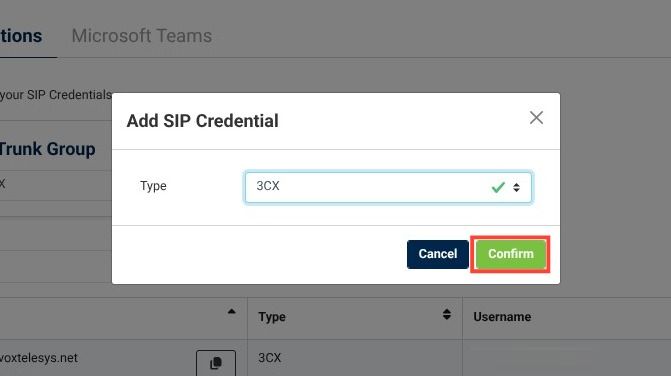
add sip credential dropdown


Select the registration type you need from the drop-down and click "Confirm".

information icon
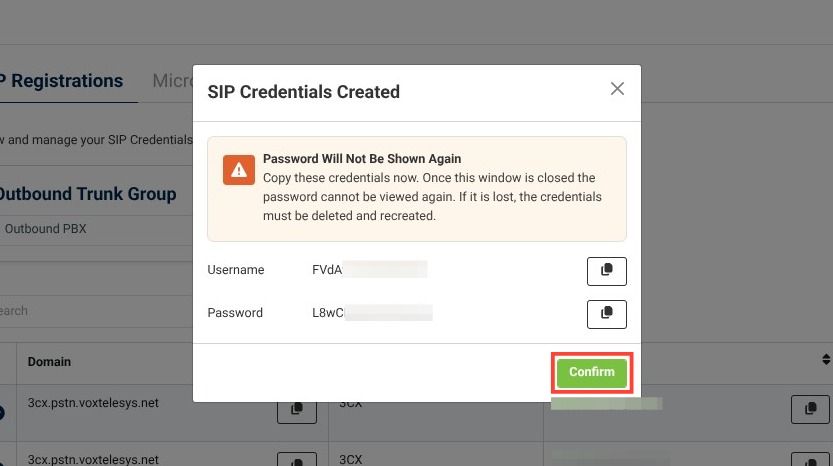
Password is Only Visible Once
Once this window is closed, the password cannot be viewed again. If it is lost, the credentials must be deleted and recreated.

SIP credentials created step with one time view of password


Copy the credentials and click "Confirm"


Your SIP Credentials have been successfully added!

Learning Hub / Tutorials / Voxtelesys / SIP Credentials in the Voxtelesys PortalFAQs