Learning Hub / Tutorials / 3CX / 3CX Security ProtocolsFAQs

Tutorials: 3CX Security Protocols

This guide provides step-by-step instructions on how to make sure your 3CX system is more secure from external hacking attempts.

Why is Two-Factor Authentication Important?

Enabling Two-Factor Authentication (2FA) adds an additional layer of security to your 3CX system by requiring users to verify their identity through a secondary authentication method when logging in. This helps prevent unauthorized access, even if a user's password has been compromised. Enabling 2FA for all users is a recommended security best practice.

information icon
Activating 2FA for a Single User
This can also be completed on an individual user basis by selecting a specific user and enabling 2FA in their **General** settings*

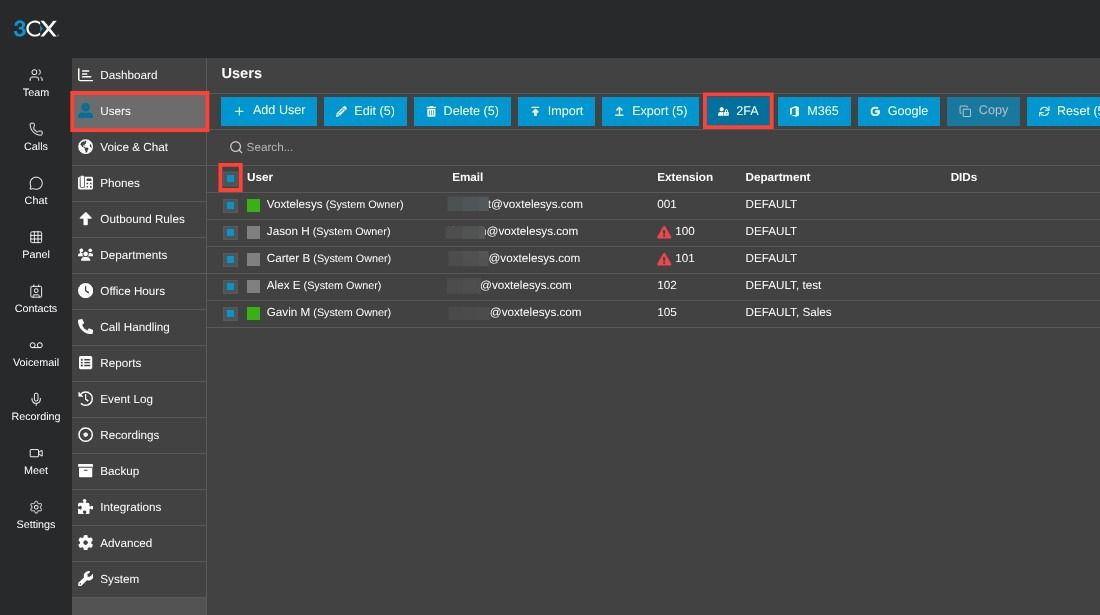
navigation to 3cx 2fa in 3cx admin


Select "Users" from the sidebar and check the box to select all Users.

Then, click the "2FA" button.

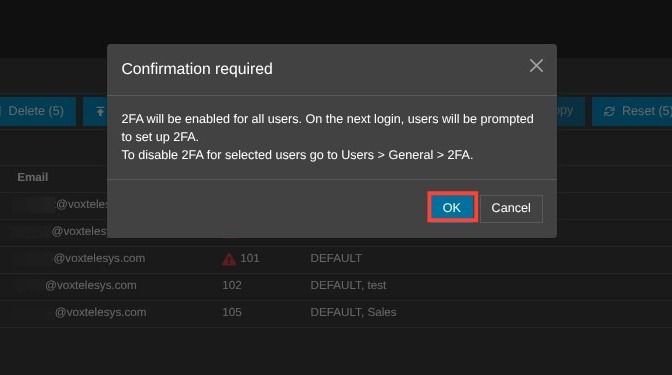
Click on to confirm 2FA


Click "OK" to confirm.

Why is Resetting User Credentials Important?

Periodically resetting user credentials helps protect your 3CX system against unauthorized access resulting from compromised, reused, or outdated passwords. This process requires users to establish new login credentials, reducing the risk associated with previously exposed credentials and helping maintain account security.

information icon
Note on Resetting Users on an Individual Basis
This can also be completed on an individual user basis by selecting a single user, followed by clicking the Reset button.

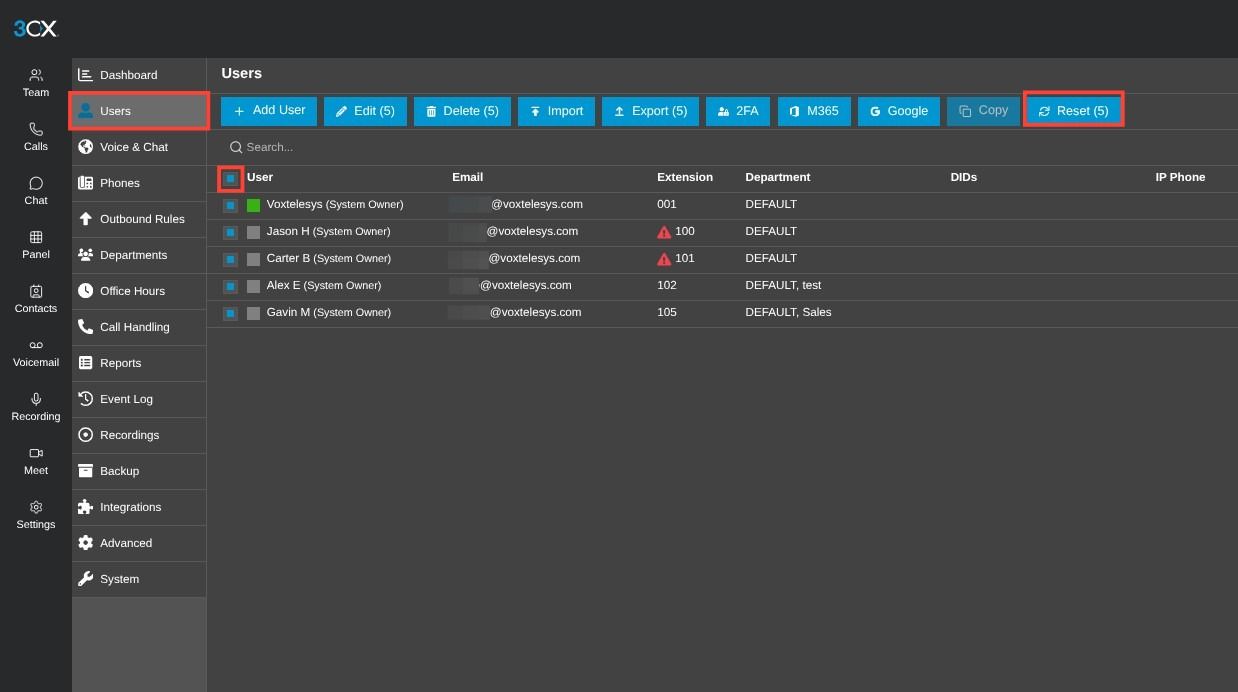
setting for resetting users


Select "Users", and check the box to select all Users.

Then, click the "Reset" button.

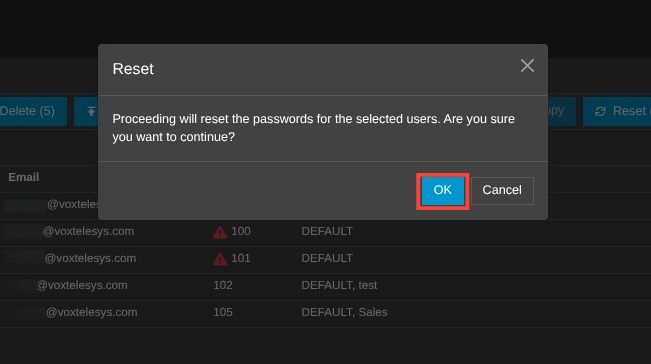
click ok to confirm resetting users passwords


Click "Ok" to confirm.

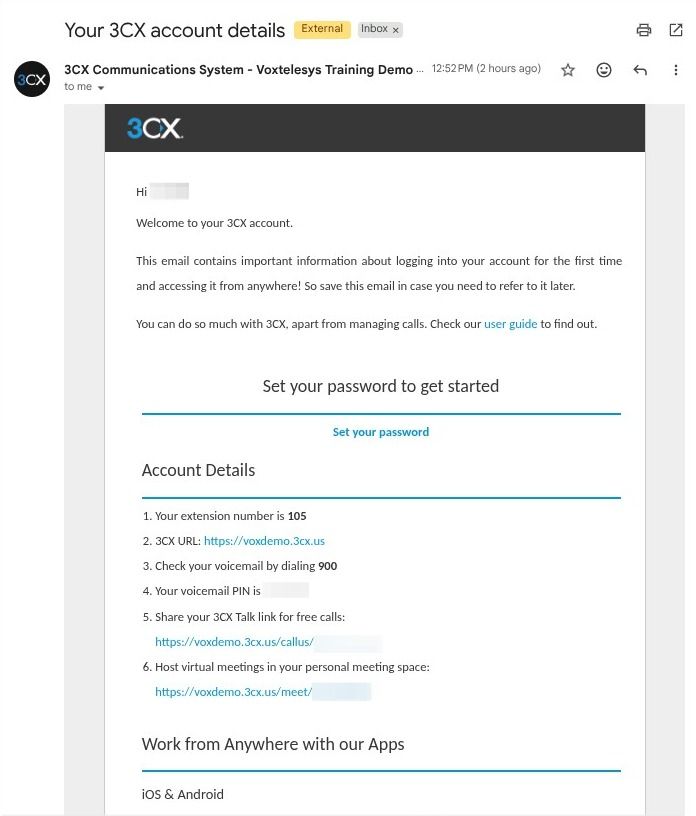
example of a 3cx password reset email


Users will receive a 3CX email to reset their passwords.

For additional information on 3CX credentials, please refer to Don’t be “THAT” Guy Vol. 1: Keep Complex Credentials

Why is Additional Voicemail Security Important?

Requiring voicemail PIN authentication helps protect users' voicemail messages from unauthorized access and reduces the risk of malicious individuals accessing voicemail features to place outbound calls. Enforcing a minimum six-digit PIN that avoids sequential or repeating numbers makes credentials more difficult to guess, providing an additional layer of security for sensitive voicemail communications and functionality. You should disable the voicemail of any users that do not need it.

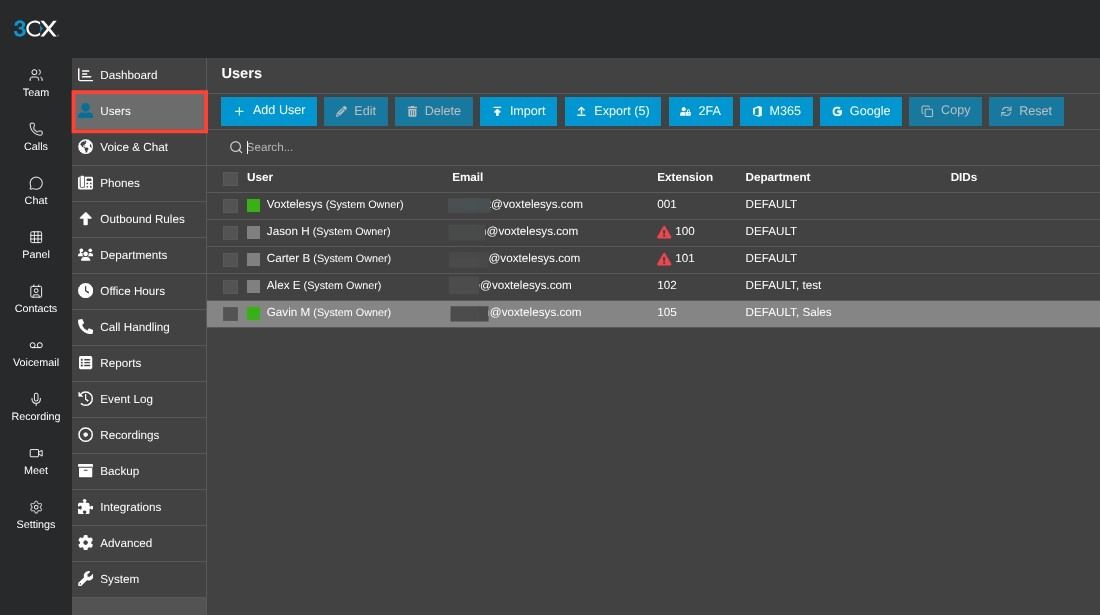
navigating to a specific user to set a voicemail pin


Select "Users" from the 3CX sidebar and select a specific User from the list.

information icon
Voicemail PIN Length & Repeating Digits
The voicemail PIN should be at least 6 digits and should not include sequential or repeating digits.

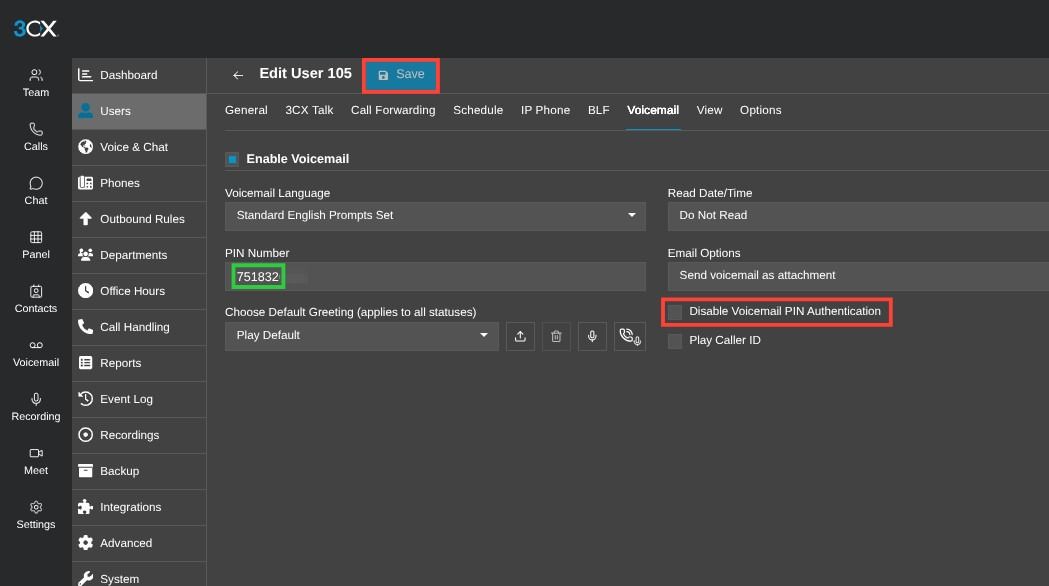
settings for 3CX voicemail PIN


Click on the "Voicemail" tab

Make sure "Disable Voicemail PIN Authentication" is unchecked. This is unchecked by default.

Click "Save"

Why is International Rule Lockdown Important?

Restricting international outbound calling privileges to specific extensions or departments helps prevent unauthorized international calls and potential toll fraud. By limiting access to employees who legitimately require international calling capabilities, you reduce the risk of unauthorized usage and unexpected calling charges.

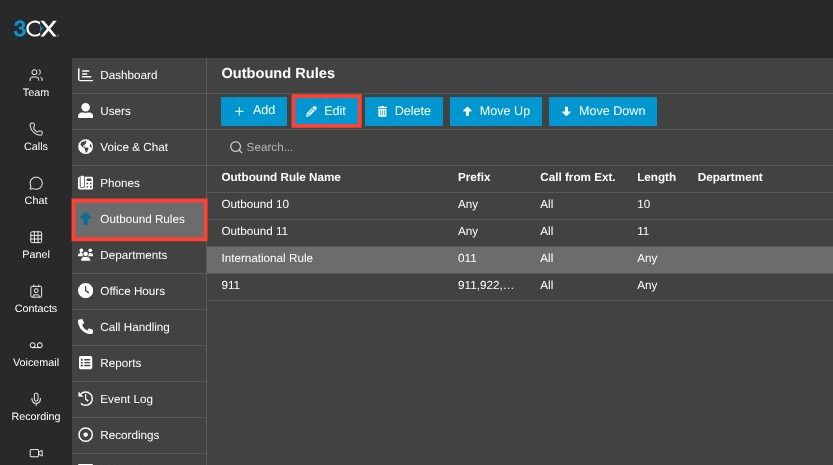
image of selecting an international outbound rule


Select "Outbound Rules" from the sidebar.

Select "International Rule" from the list and click "Edit".

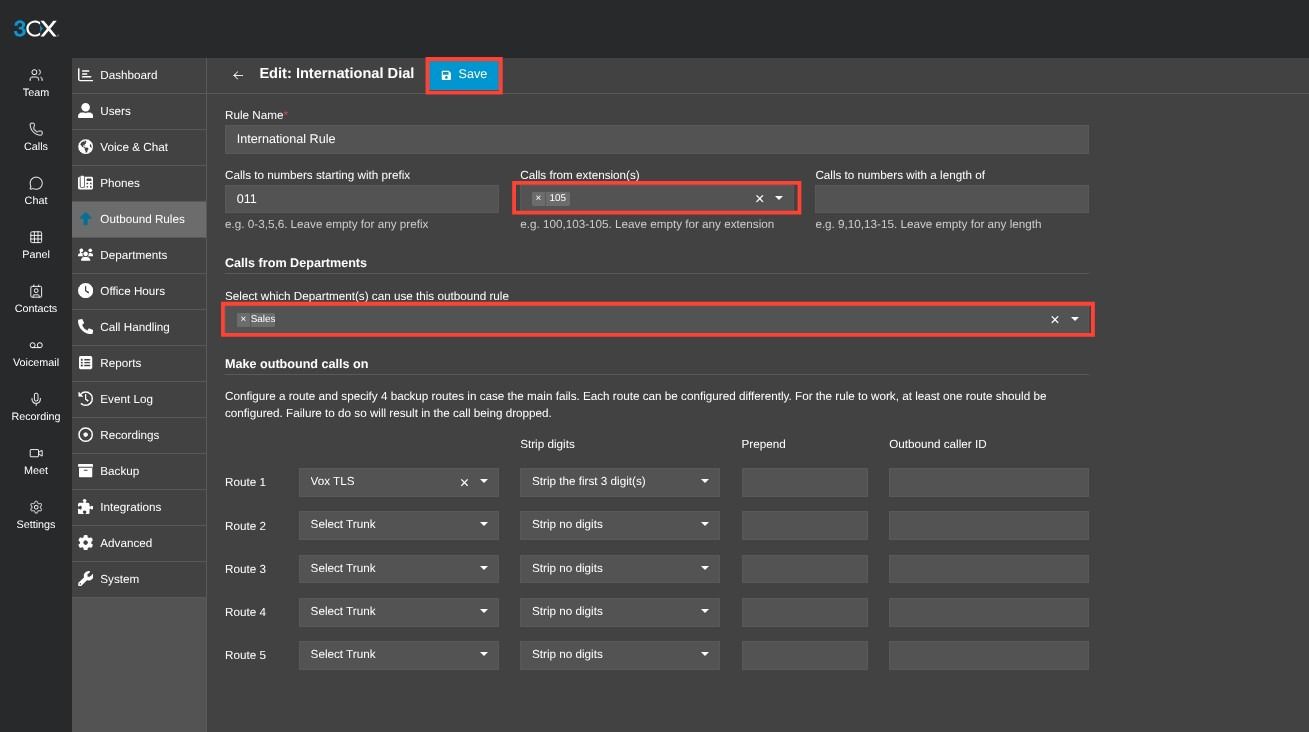
international dial rule configuration page


To allow international calls, enter specific extensions from the "Calls from extension(s)" drop-down and/or select specific Department(s) from the "Calls from Departments" drop-down.

Click "Save" when complete.

For additional information, please refer to Don’t be “THAT” Guy Vol. 2: Call Fraud

Why is Enabling/Disabling Allowed Country Codes Important?

Limiting enabled country codes to only those your business needs helps reduce the possibility of unauthorized international calling. Enabling individual country codes rather than entire continents provides more granular control over outbound calling permissions. Disabling country codes when they are no longer needed further minimizes potential security risks and exposure to toll fraud.

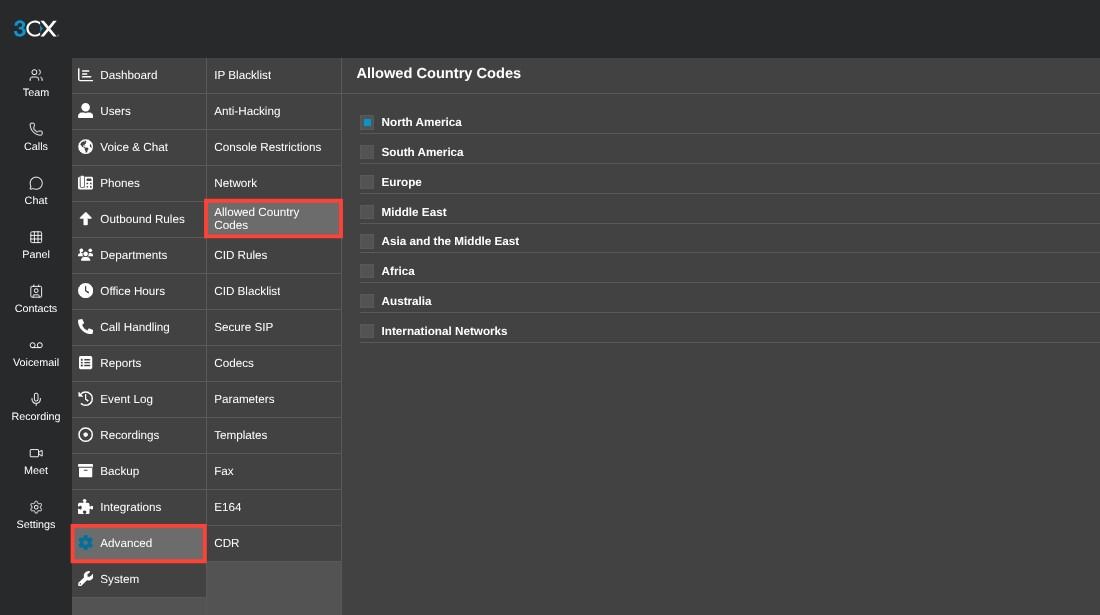
allowed country codes page


Select "Advanced" from the sidebar then click on "Allowed Country Codes".

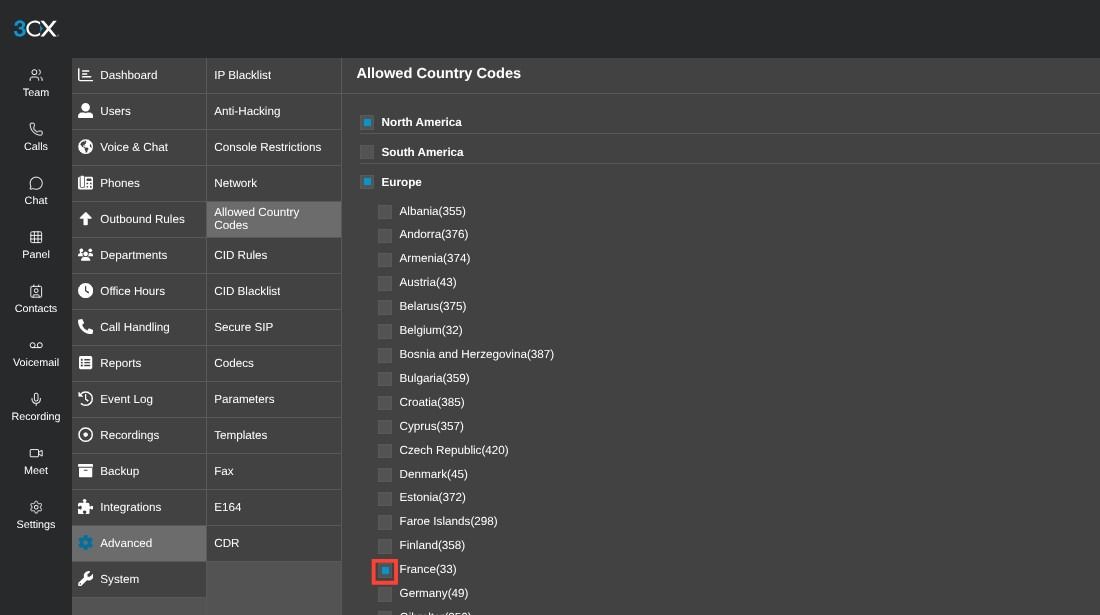
selecting a specific country code


When enabling a country code, the best practice is to enable each country code needed (E.g., France), rather than enabling the entire continent. To select a country, expand the contient and then enable the desired country.

Once you're done dialing out to a specific country code, it's recommended to disable the country code for security purposes.

Why is Anti-Hacking Important?

Maintaining the appropriate IP whitelist and adjusting your system's anti-hacking blacklist settings helps protect your 3CX PBX against unauthorized access attempts and repeated login attacks. Ensuring trusted Voxtelesys IP addresses are allowed helps maintain proper communication with our services, while increasing the blacklist time interval helps keep suspicious IP addresses blocked for longer periods.

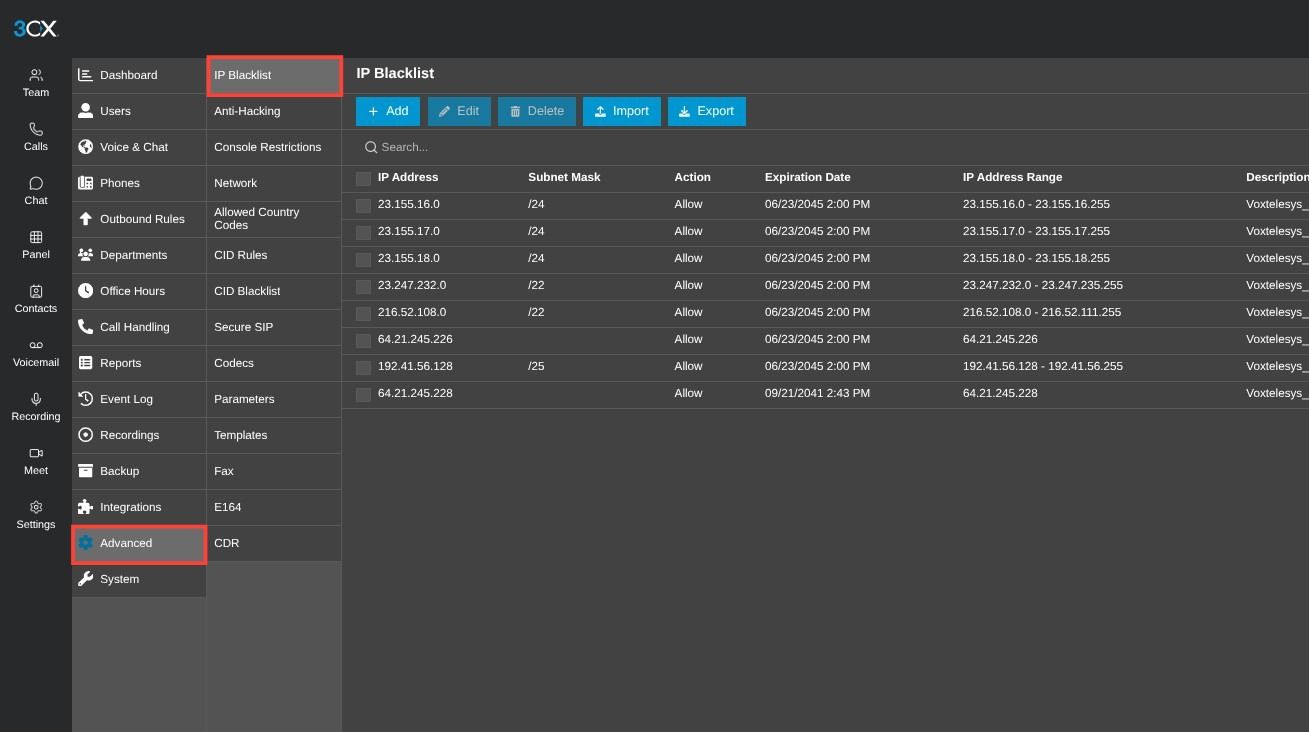
3CX IP blacklist page

Select "Advanced" from the sidebar, then click on "IP Blacklist".

Ensure the correct whitelisted IPs are set to "Allow" under the "Action" column. The required Voxtelesys's whitelisted IPs are listed below for reference:

23.155.16.0/24

23.155.17.0/24

23.155.18.0/24

23.247.232.0/22

216.52.108.0/22

64.21.245.226

192.41.56.128/25

64.21.245.228

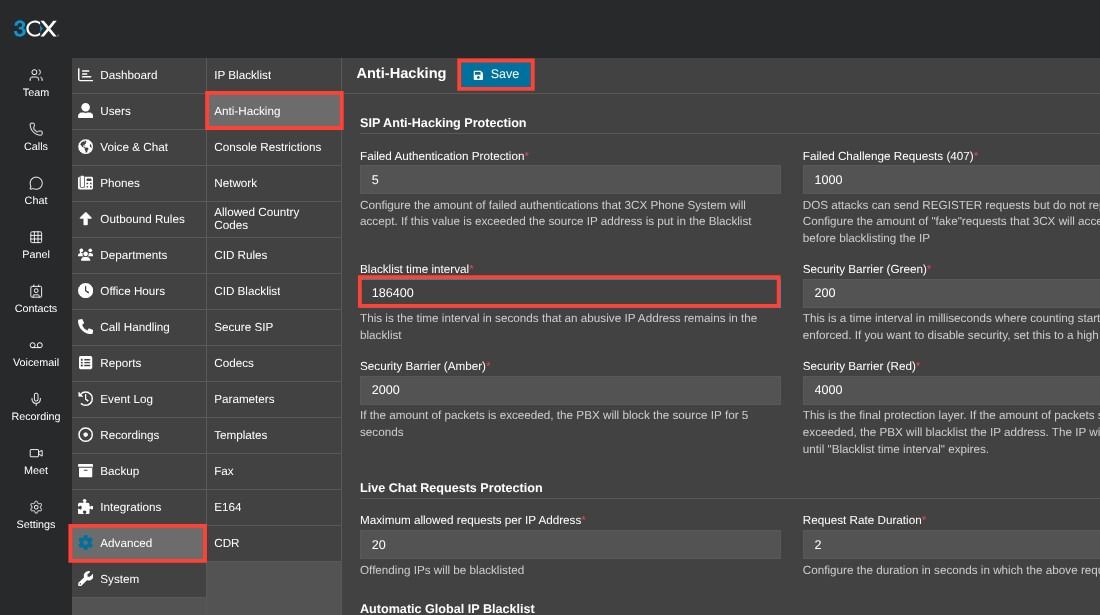
antihacking page in 3CX


Select "Advanced" from the sidebar, then click on "Anti-Hacking".

Increase the "Blacklist time interval" (E.g., from "86400" to "186400")

Click "Save" when complete.

For additional information, please refer to Don’t be “THAT” Guy Vol. 3: Top 4 PBX Security Tips.

Why are Console Restrictions Important?

Restricting access to the 3CX Admin Console to specific, trusted IP addresses helps prevent unauthorized individuals from accessing your system's administrative interface. Limiting access to approved IP addresses significantly reduces your PBX's exposure to external threats and helps protect critical system configurations, user accounts, and security settings.

information icon
Note on Adding IP Addresses
You can only add one IP Address at a time*

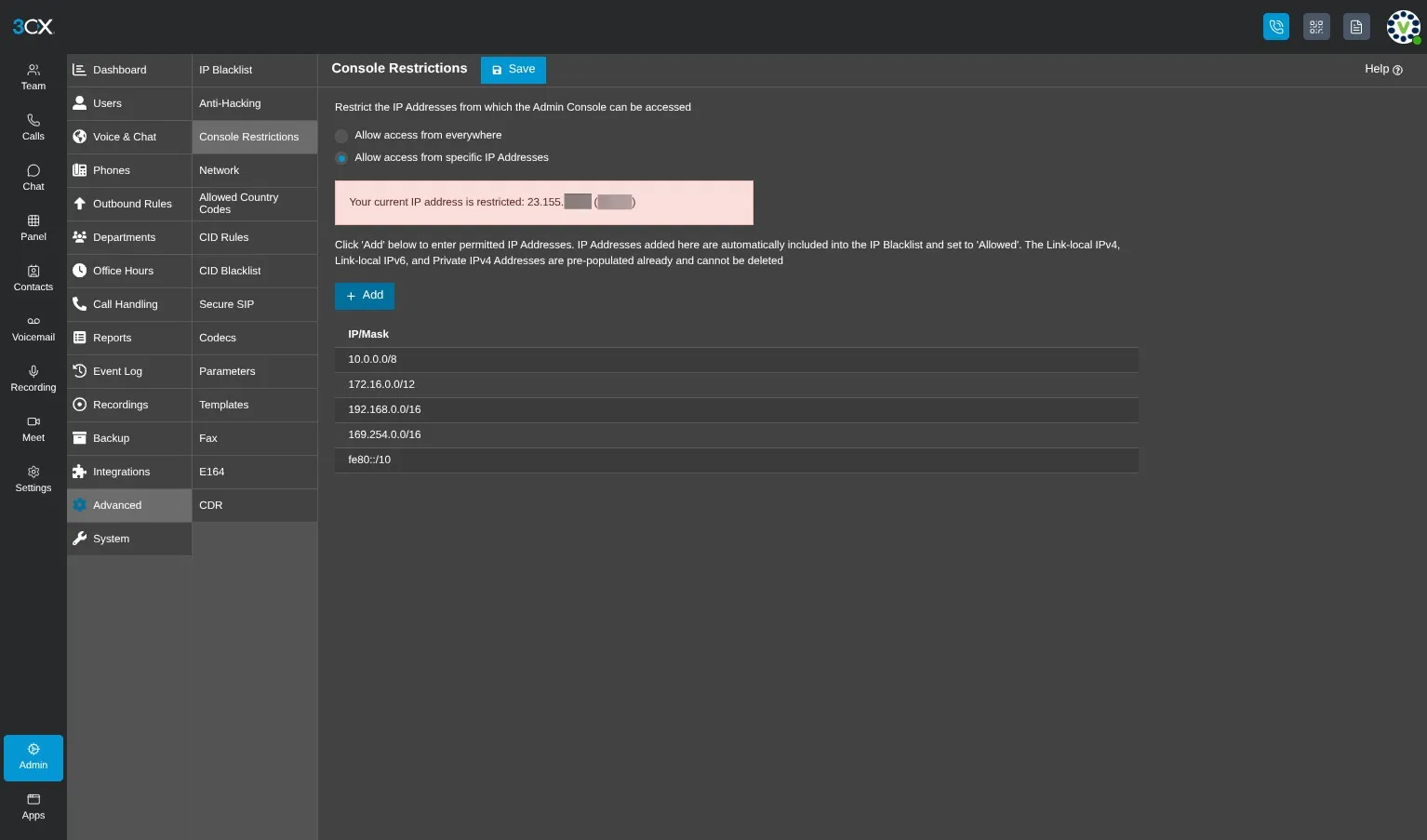
3CX console restrctions page

Select "Advanced" from the sidebar, then click "Console Restrictions"

To add your IP Address, click "Allow access from specific IP Addresses", and select the "+ Add" button.

The required Voxtelesys whitelisted IPs are listed below for reference:

23.155.16.0/24

23.155.17.0/24

23.155.18.0/24

23.247.232.0/22

216.52.108.0/22

64.21.245.226

192.41.56.128/25

64.21.245.228

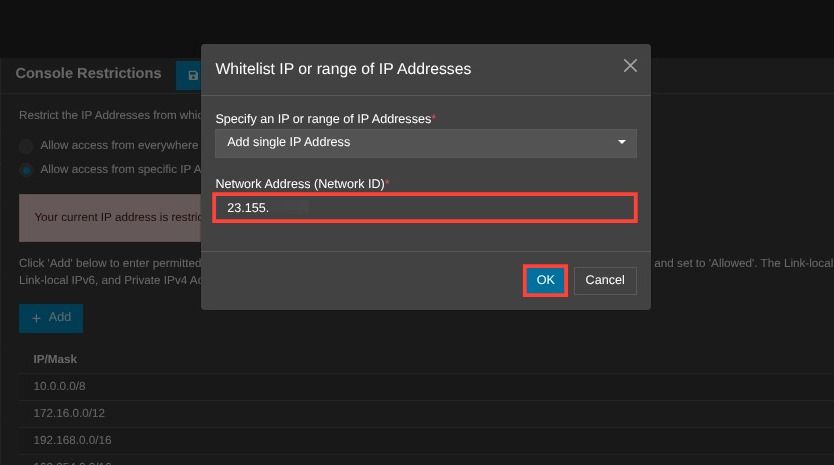
adding an IP address under console restrictions


Enter the IP Address under "Network Address (Network ID)" and click "OK" to save.

For additional information on 3CX's overall configuration, please refer to Don’t be THAT Guy: Prevention Guides Refreshed

Learning Hub / Tutorials / 3CX / 3CX Security ProtocolsFAQs